SMS Verification
Last updated: September 4, 2026
Gordon is the SportsConnector mobile app by Sportao Inc. It uses SMS for a single purpose: to verify a user's mobile phone number and sign them in. There are no passwords, no recurring messages, and no marketing texts. This page documents the exact in-app flow in which a user requests the verification message.
How a user requests the message
- The user opens the Gordon mobile app.
- On the sign-in screen, the user enters their mobile phone number.
- Directly below the Continue button, the screen states that a one-time login code will be texted to that number, that message and data rates may apply, and that by continuing the user agrees to the Terms of Use and Privacy Policy (both linked).
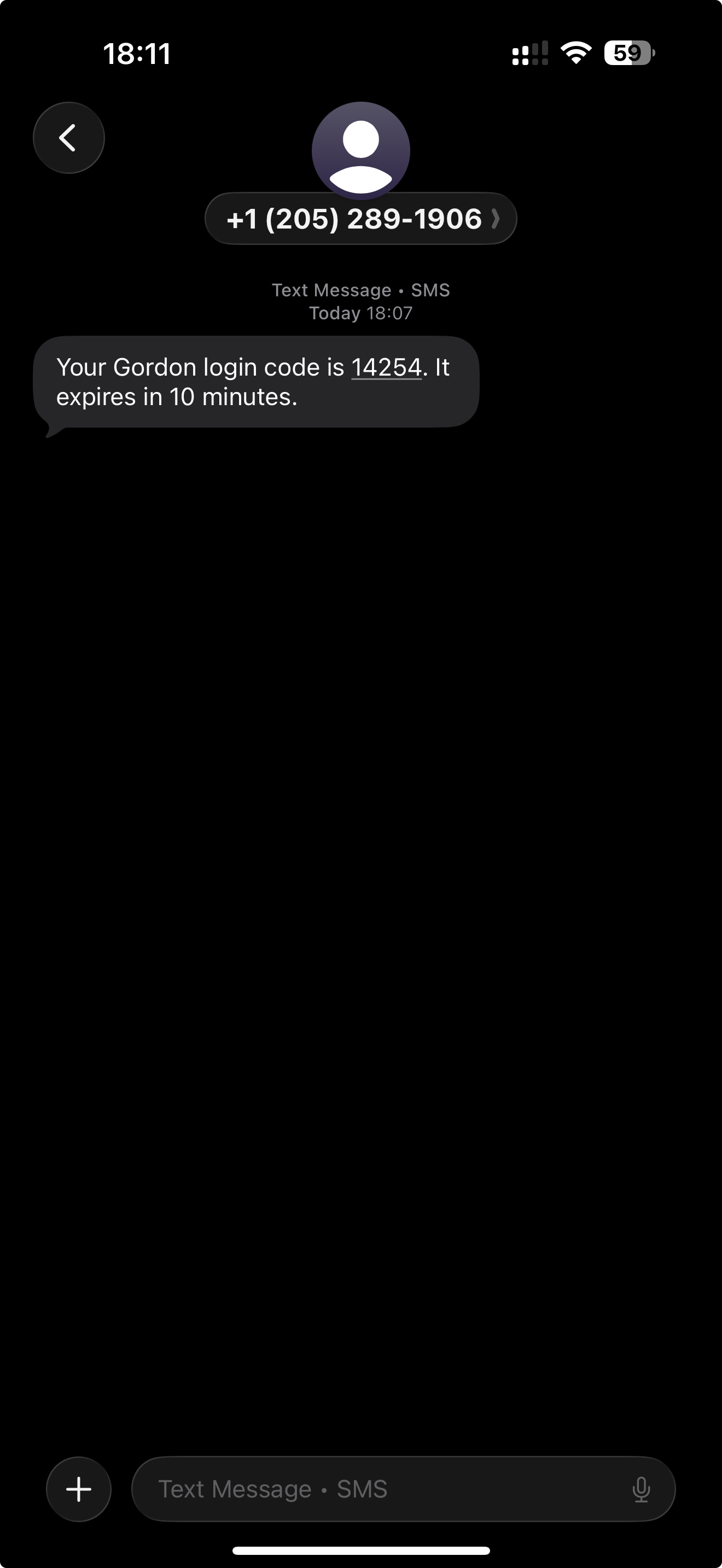
- The user taps Continue. This is the explicit request for the message: Gordon sends one SMS containing a one-time login code to the number provided.
- The user enters the code in the app. A correct code completes sign-in.
Screenshots
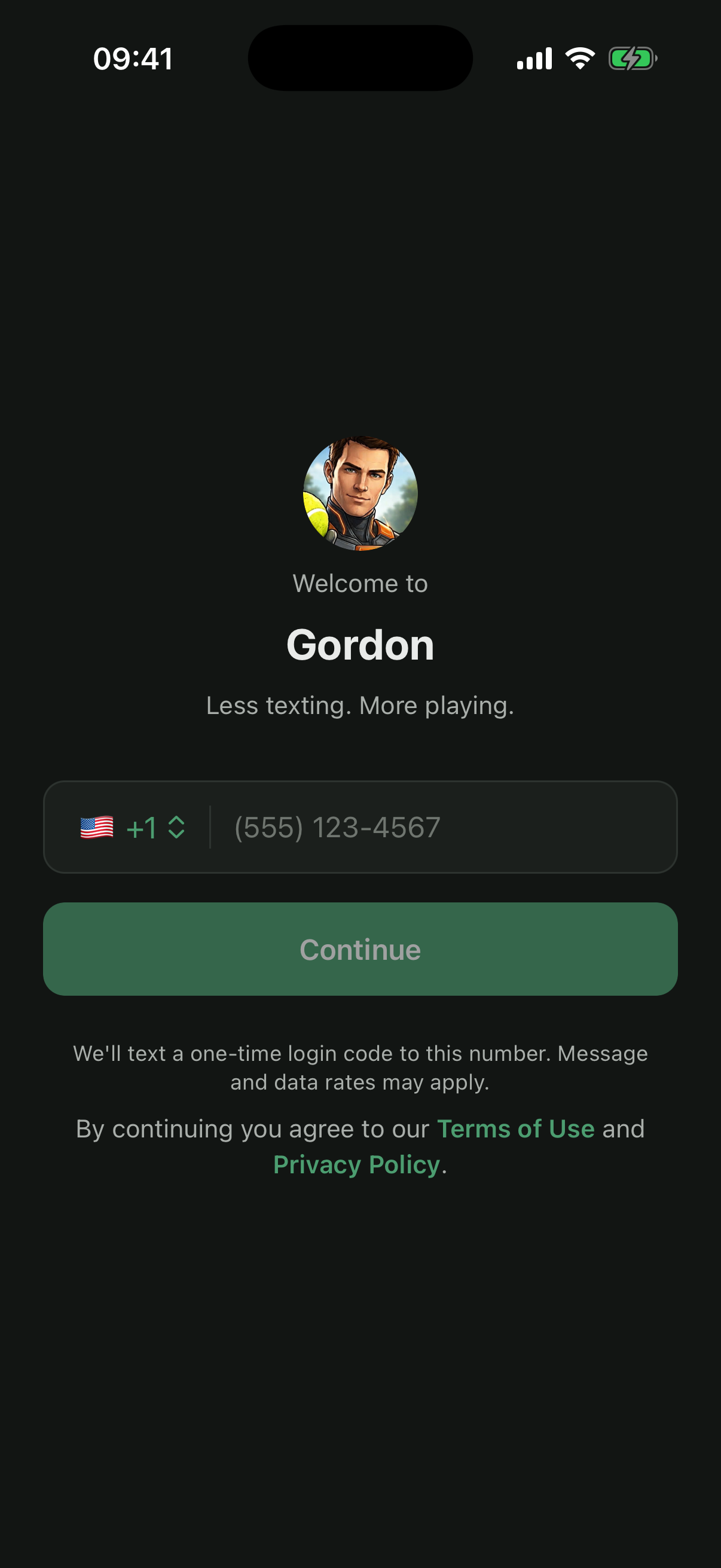
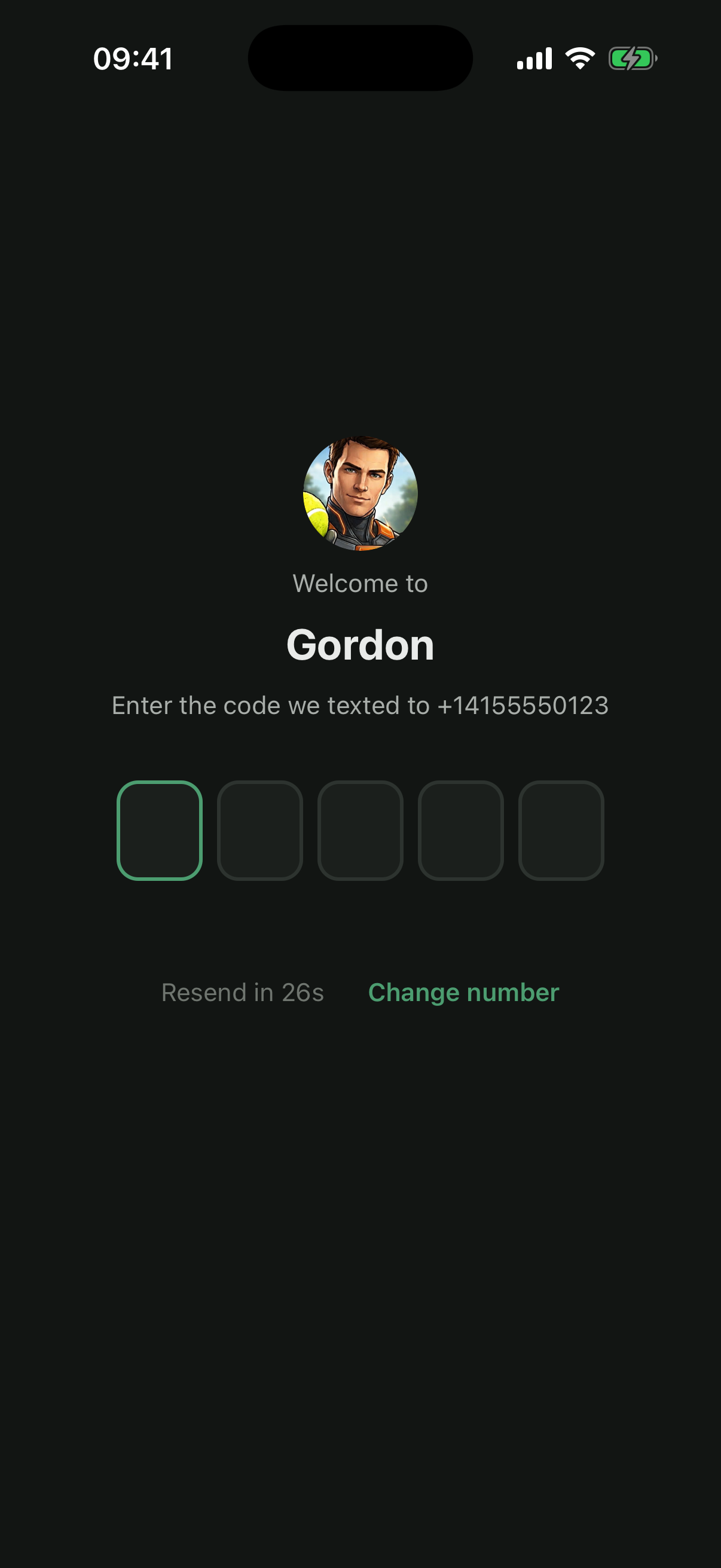
Consent language shown in the app
The following text appears on the sign-in screen, directly below the Continue button, before the user requests the code:
We'll text a one-time login code to this number. Message and data rates may apply. By continuing you agree to our Terms of Use and Privacy Policy.
Sample message
Your Gordon login code is 123456. It expires in 10 minutes.
Program details
- Program name
- Gordon (SportsConnector) by Sportao Inc.
- Use case
- Account verification and authentication (one-time passcode). SMS is not used for marketing, promotions, or any recurring notifications.
- Message frequency
- One message per sign-in request, sent only when the user taps Continue on the sign-in screen.
- Cost
- Message and data rates may apply.
- Opt-out
- Reply STOP to any message to stop receiving texts. Because sign-in relies on the verification code, the user cannot sign in until they reply START.
- Help
- Reply HELP, or email [email protected].
- Privacy
- No mobile information will be shared with third parties or affiliates for marketing or promotional purposes. Text messaging originator opt-in data and consent will not be shared with any third parties. See the Privacy Policy and Terms of Use.